

Unlock the power of AI with our guide to building visual workflows. Our presenter simplifies complex tasks into repeatable processes, turning AI into a user-friendly tool for consistent results.
These tips are part of the session "Developing an AI Workflow Management and Integration Framework," where our speaker, Anthony LaFauce, Managing Director of AI Innovation at Clyde, helps PR professionals learn how to create effective prompts and outputs.
This session was part of the PRNEWS PRO Online Training Workshop: "The AI Shift: Practical Strategies for PR Leaders."
Watch the full session at this link.
Full transcript:
[ANTHONY LaFAUCE]
This is all probably like starting to blow people's minds and like, "Oh my gosh, how can I do this? There's a lot going on. Uh, once again, the military has KISS: keep it simple, stupid. They've always taught us to do things in the simplest way possible and that really comes into this.
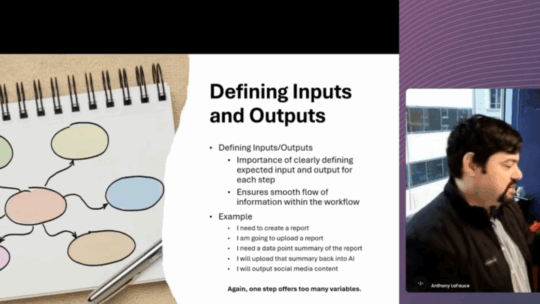
It's starting to create what we call a visual workflow, right? So, you're literally building out a schematic chart, and if you ever Google what a schematic looks like, they're like line graphs with little, like, processors built into them. That's what you're starting to build out here. You've broken down your task into the multiple steps that it's gonna take to accomplish.
You've got your input. Okay, I've got a research report. I know that I need bullet points as my output from that report, so I'm able to create a module in that workflow process where AI is able to step in to say, "Digest this report as it relates to my client to create bullets." Then once you have those bullets, you can then say, "Okay, I need you to look at these bullets, understand who my client is, and give me a really good quote that talks about why we support these bullets or why we're against these bullets." Then once you have that quote, you're able to say, "Okay, now I need you to take all that information I just processed, I need you to create, uh, follow-up statements or, uh, bullet points that reinforce what my statement is and write me a paragraph that does that." And you start to build out this schematic with a line input into a box where a prompt lives that tells you what you're gonna say to that prompt, to what your expected outcomes are.
And you continue to do that through the entire process. And when you're done, you have a document that is and I'm gonna show you a pretty simple example of one in a minute or 2, of what a workflow can look like with prompts for an AI that you can then give to somebody else, right?
So, what does that really look like? Like, how deep does it really have to go? And the answer is, as deep as you want it to go. As we're starting to build these out, these repeatable processes, you can add or take away to them to start giving them more information. And hopefully you're starting to see how if you begin to build out an AI workflow like this, it takes so much of the guesswork out of what people find when they're trying to work with that.
Every time I give it, uh, something, it gives me a different answer, or I can't find the right information to give it. So you're starting to remove all those different variables to really just turn it into a simple to use tool that people are able to reproduce the results over and over and over.
And when you start to think about what that prompt looks like, go back to what I mentioned, the thing that you should kind of already know by now, is what is that race model, right? What are the things that we're gonna ask in each one of those modules where you've got an input, the module, and then the output? What are we gonna ask the prompt to s- to do in that module?
And you see it really here. "As a researcher, take this research report, uh, and view it from my client X's point of view. After reading the report, generate one paragraph executive summary with no more than 5 bullet points that my client would find important." Then you're gonna run this.